 Another
LauncherJoin the beta
Another
LauncherJoin the beta Now, would ya look at that? 👀👇
It's Another
Launcher.
You thought your phone was top sh*t until that other phone got announced. Props to them, but everybody eats.
Try the betaCurrently in closed beta on Google Play.

Three steps to join the beta.
Three quick steps. Make sure to use the same Google account for each one.
-
Step 01
Join the Google Group.
Google requires an approved group for closed beta access. Just click and join. Don't worry, it's not a cult.
Join the group -
Step 02
Opt into the beta.
Google Play's official opt-in page. Click the button to become an approved tester. Note: It takes a couple minutes for the app to show up.
Opt in -
Step 03
Download it.
Download directly from Google Play. Install it, customize it, and see how it feels.
Get it on Google Play
DUAL-SCREEN LAYOUT
Open the thing up, dude.
You paid for both screens. Use both screens. Search, weather, widgets, all your apps side-by-side. You can even move the side dock to the other side of the screen. We're officially living in the future.


UNAPOLOGETICALLY CLEAN
Yeah, it looks like that other phone.
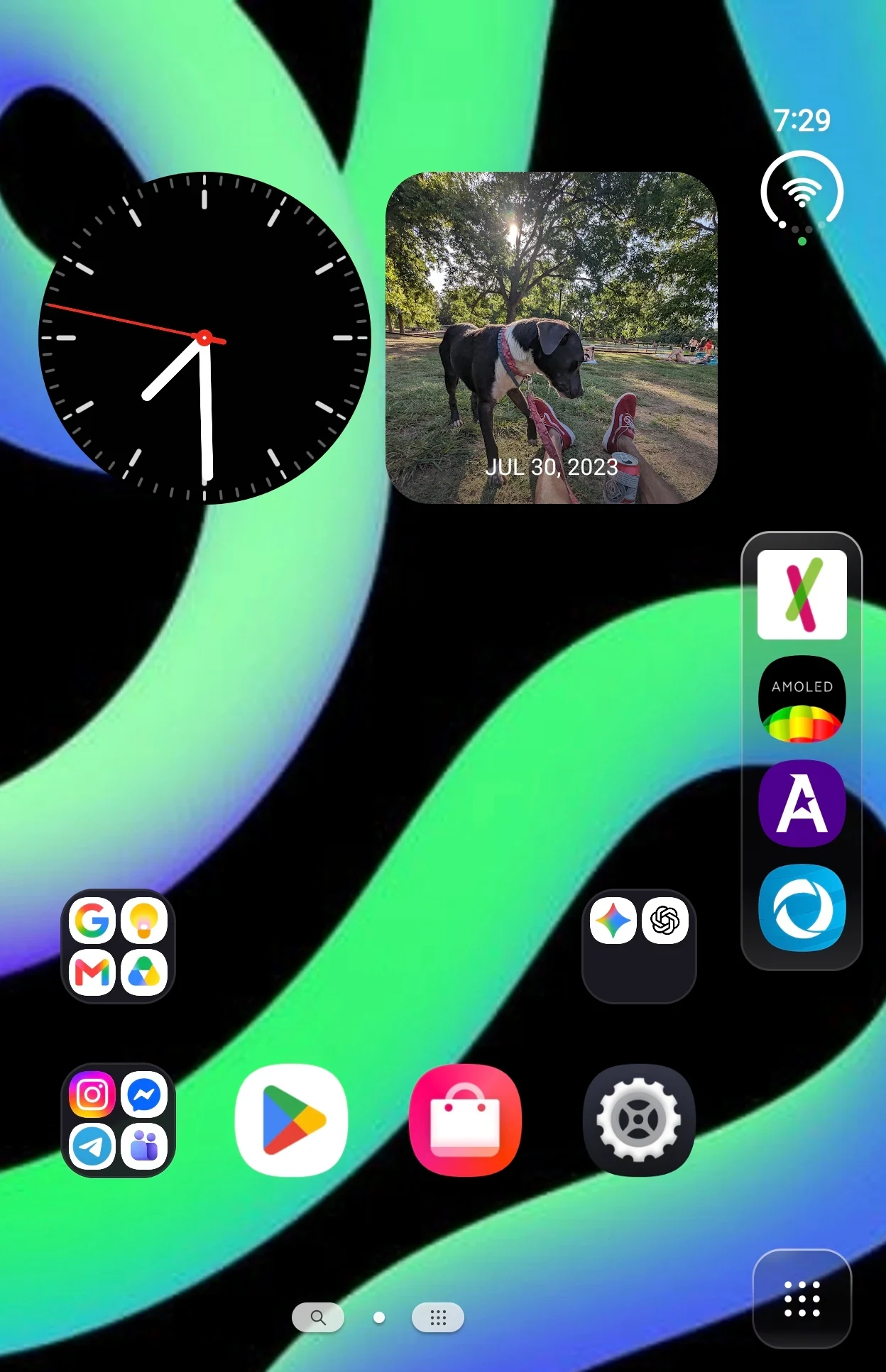
Shiny UI, side dock, smart app groups, the whole shebang. A modern, vibe-coded launcher made just for Android foldables.
Customize that thang.
Put the side dock on the right or left side of the screen. Add a few square widgets up top. You're gonna play with it all night and end up right back where you started. Pause. Also try switching to dark mode for a darker UI.
Everything in one spot.
Use the hub to find the universal search, a built-in weather display, and your custom widgets. For when you open your phone, stare at it blankly, and forget what you were doing. Now at least there's stuff to look at.

All your apps. Every single one.
Sorted by category or alphabetical list. Every app on your phone is in here, even the ones you haven't opened in months.

Only going to ask one more time.
Three quick steps. Make sure to use the same Google account for each one.
-
Step 01
Join the Google Group.
Google requires an approved group for closed beta access. Just click and join.
Join the group -
Step 02
Opt into the beta.
Google Play's official opt-in page. Click the button to become an approved tester.
Opt in -
Step 03
Download it.
Download directly from Google Play. Install it, customize it, and see how it feels.
Get it on Google Play